
Notice: This Wiki is now read only and edits are no longer possible. Please see: https://gitlab.eclipse.org/eclipsefdn/helpdesk/-/wikis/Wiki-shutdown-plan for the plan.
Scout/HowTo/3.8/Creating a template
The Scout documentation has been moved to https://eclipsescout.github.io/.
This how-to describes how to create and use a template
Creating the template
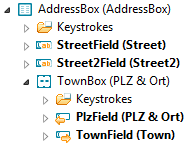
- Create a GroupBox in a form
- Add form fields to the GroupBox and set their properties

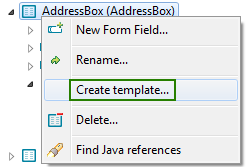
- Right click on the GroupBox and choose "Create template..."
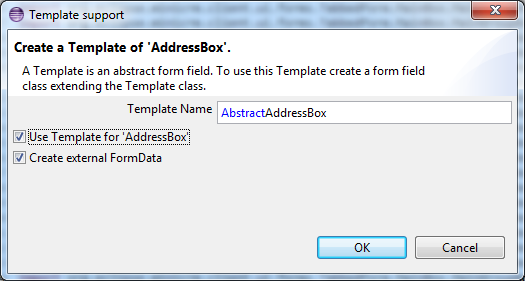
- Define the template name (or accept the default proposal)
Make sure the two checkboxes are selected


Using the template
The new template should now be listed under the Templates section in the client sub-project:

When adding new form fields, the new field should now be available:

In order to access the fields of a template in an SQL statement, use dot-notation (access to the fields works, even if auto-completion does not).
   SQL.selectInto("SELECT STREET, STREET2, ZIP, TOWN " +
                 "FROM ADDRESS " +
                 "WHERE ADDRESS_NO = :addressNo " +
                 "INTO :addressBox.street, :addressBox.street2, :addressBox.plz, :addressBox.town ",
                 formData);